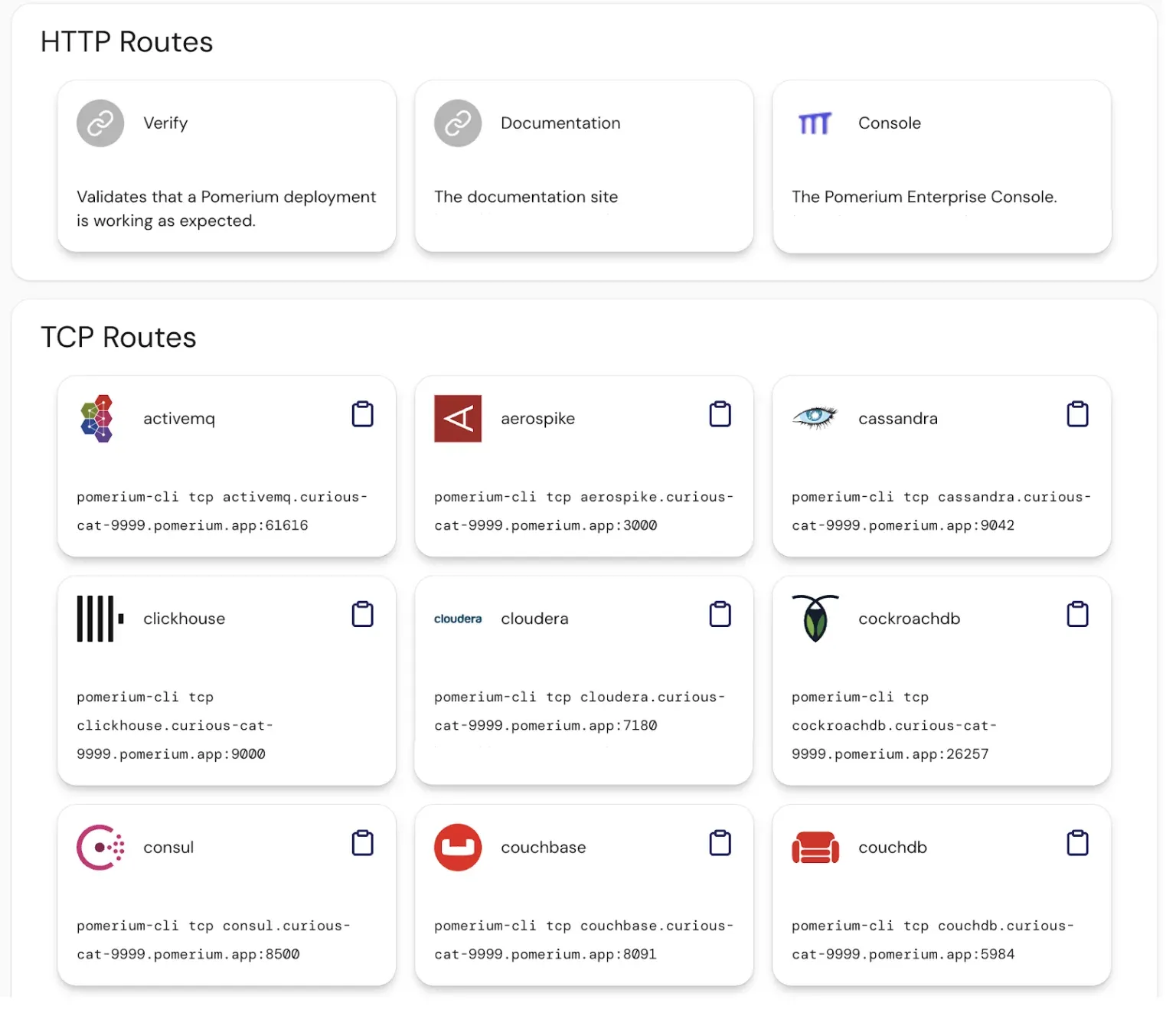
Navigating to your internal applications just got easier. Routes Portal is a new user interface that lists all the routes (apps and services) you have access to, all in one place. After logging in through Pomerium, users can be presented with a portal page showing available resources, making access more intuitive.
Here’s what it offers:
- Single landing page – Upon sign-in, users see a dashboard of all their authorized routes. No more remembering a bunch of URLs; just click the service you need from the list.
- Quick access – Each route is one click away. The portal displays application names (and can show icons or descriptions, if configured) for easy identification.
- Dynamic updates – The list reflects the user’s current access rights. As soon as an admin adds or removes access, the portal updates to show the correct set of resources.
- Better user experience – Especially in organizations with dozens of internal apps be they HTTP, TCP or UDP, the Routes Portal serves as a friendly “app launcher” homepage for your infrastructure. Users can navigate confidently, which means fewer support questions about “Where do I go to access X?”.
No setup required — enable the Routes Portal feature, and Pomerium will automatically present it to your users after authentication.
